Fragment pre-scan followed by Telegram final verification. Recommended when you want fast candidate discovery and then a final platform check.
Best for practical end-to-end runs.TG HUNTER V14.7 - WINDOWS DESKTOP SOFTWARE
Find Telegram Username Opportunities Faster. Verify Them Smarter.
TG Hunter combines fast Fragment discovery, final Telegram verification, multi-session processing, resumable scans, live metrics, exports, and instant Saved Messages alerts in one focused Windows workflow.
Windows 10 & 11
3 Scan Modes
Multi-Session
CSV / TXT / XLSX
Fast Discovery
Fragment can be used as a high-speed pre-scan layer.
Final Verification
Verify candidate usernames through Telegram before treating them as available.
Multi-Session
Distribute verification work across your authorized Telegram sessions.
Resumable Runs
Pause or close the app and continue saved work later.
One App. Three Scan Modes.
Run Fragment-focused availability research when Telegram verification is not needed for that run.
Useful when you want only the Fragment pass.Send the input list directly through Telegram username verification using your configured sessions.
Focused final verification workflow.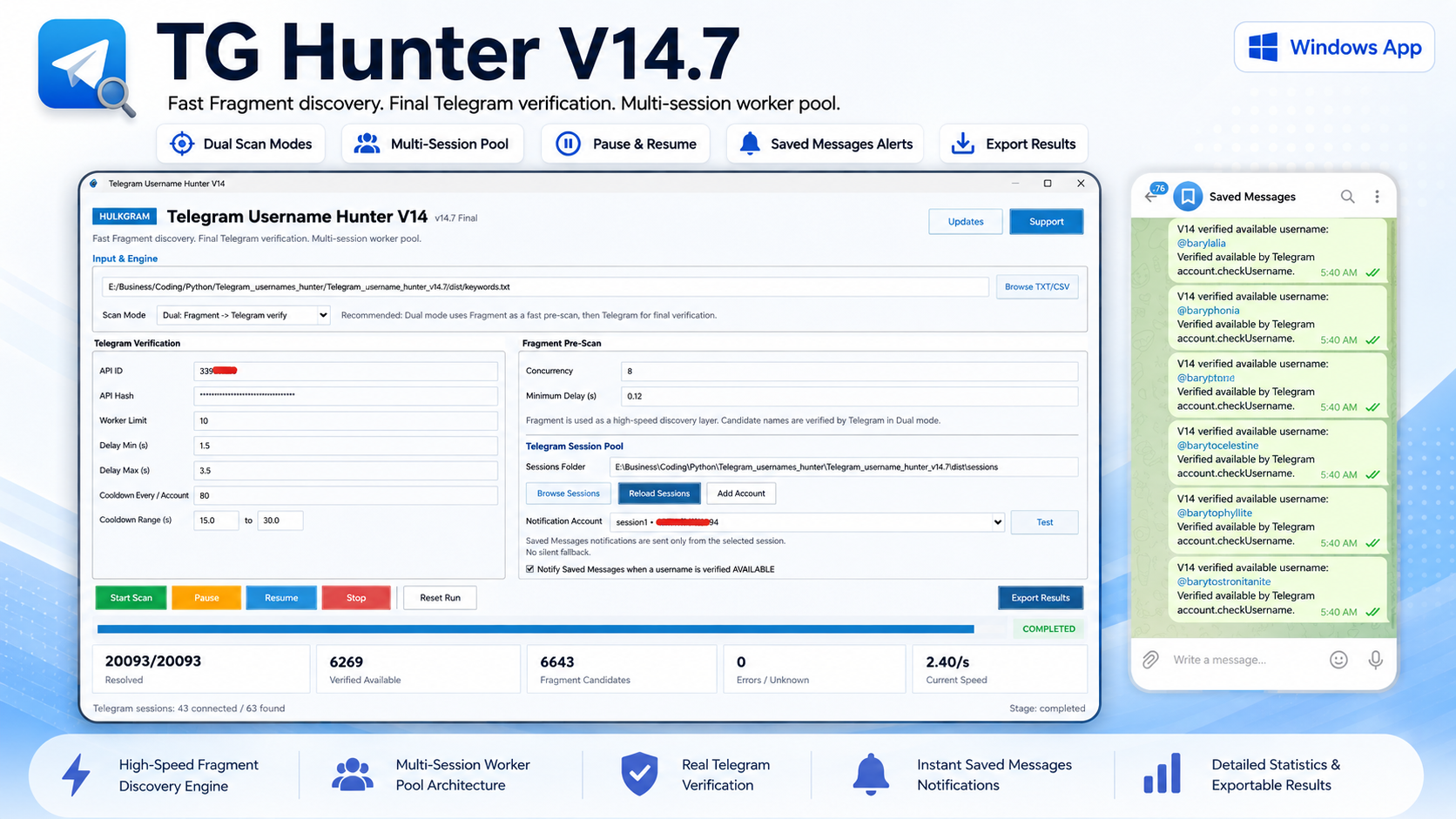
Everything You Need for Serious Username Research
Input and Scan Engine
- TXT input
- CSV input
- Fragment pre-scan
- Telegram verification
- 3 scan modes
Multi-Session Workflow
- .session discovery
- Add accounts
- Reload sessions
- Session name and phone
- Session visibility
- Worker limit
Rate and Session Control
- Min/max delays
- Cooldown interval
- Cooldown range
- FloodWait-aware handling
- Unusable or fatal session handling
Run Control and Resume
- Start
- Pause
- Resume
- Stop
- Reset
- Saved progress
- Reopen and continue
Live Visibility
- Resolved
- Verified Available
- Fragment Candidates
- Errors / Unknown
- Current Speed
- Current Stage
- Expandable live results
Alerts and Exports
- Saved Messages alerts
- Notification account
- One-click test
- CSV export
- TXT export
- XLSX export
REAL-TIME NOTIFICATIONS SHOWCASE
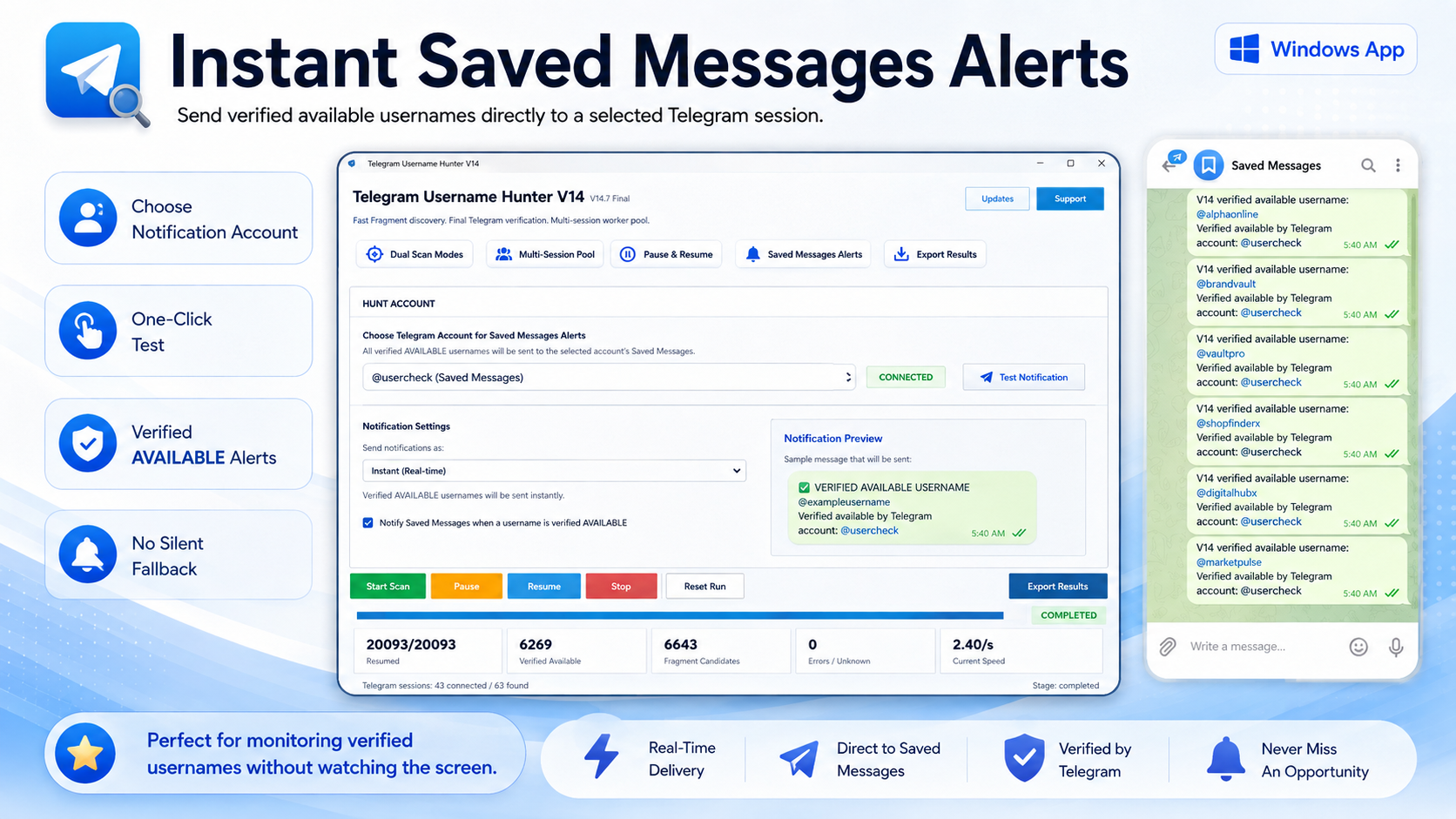
Know When Telegram Verifies an Available Username
Choose one of your connected Telegram sessions as the notification account. When TG Hunter verifies an AVAILABLE username, the app can send the result directly to that account's Saved Messages.
- Choose Notification Account
- One-Click Test
- Verified AVAILABLE Alerts
- No Silent Fallback
LIVE METRICS / VISIBILITY
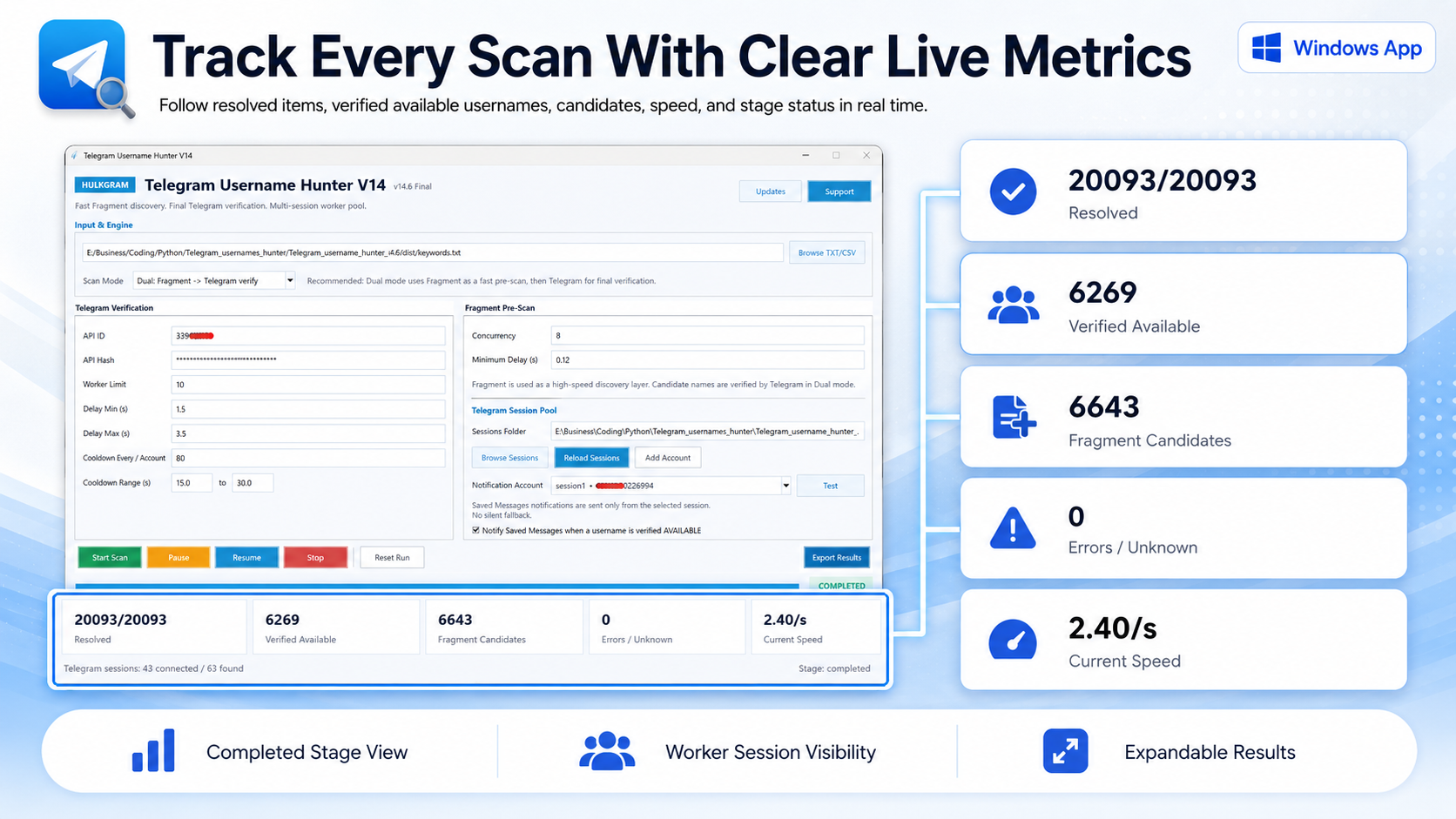
See Exactly What Your Scan Is Doing
Follow progress without guessing. TG Hunter surfaces the most useful run metrics directly in the dashboard so you can see what has been resolved, what is still being verified, current speed, session availability, and the active stage.
- ResolvedProcessed results
- Verified AvailableTelegram-confirmed
- Fragment CandidatesPre-scan candidates
- Errors / UnknownNeeds review
- Current SpeedLive processing rate
- Current StageActive scan phase
From Keyword List to Verified Results
- 01Import
Load your TXT or CSV list.
- 02Choose Mode
Dual, Fragment Only, or Telegram Only.
- 03Configure
Choose worker, session, and timing controls appropriate for your accounts.
- 04Run and Monitor
Follow progress, live metrics, results, and session state.
- 05Export or Get Alerts
Export results or receive verified AVAILABLE notifications in Telegram Saved Messages.
DESIGNED FOR LONGER SCANS
Built for Longer Scans
Long lists should not force you to start over. Pause an active run, resume when ready, close the app and continue saved progress later, keep local run state for continuity, and reset when you intentionally want a clean run.
- Pause an active run.
- Resume when ready.
- Close and continue later.
- Keep local run state.
- Reset intentionally.
RUN STATE
Progress saved
Session pool ready
Resume available
Local state active
Your Results. Your Workflow.
CSV
Structured export for spreadsheet review and filtering.
TXT
Plain-text output for lightweight sharing and notes.
XLSX / Excel
Spreadsheet-friendly export for richer review workflows.
Clear Result Statuses
AVAILABLE
TAKEN
PURCHASABLE
CANDIDATE
INVALID
FLOOD WAIT
ERROR / UNKNOWN
What You Need
Windows 10 or Windows 11
The public build is designed for Windows desktops.
Internet connection
TG Hunter needs live connectivity to reach Telegram and Fragment.
Your own Telegram API ID & API Hash
Use your own Telegram developer credentials.
Your own authorized Telegram account/session(s)
Connect only sessions you own and are authorized to use.
TG Hunter does not include Telegram accounts, customer sessions, or private Telegram API credentials.
SIMPLE DIRECT LICENSE ACTIVATION
Simple Direct License Activation
Open the app
Launch TG Hunter V14.7 on the Windows device where you want to use it.
Copy the Hardware ID
Open the activation window and copy the 20-character Hardware ID, then send it to Hulkgram support.
Paste the License Key
Receive the signed License Key from Hulkgram, paste it into the activation window, and activate on that device.
The license is saved locally under the user's LOCALAPPDATA/Hulkgram/UsernameHunter folder, so updating the EXE on the same Windows installation does not normally require reactivation.
Documentation, Support and News
Full documentation
Installation, direct activation, Telegram accounts, scan modes, statuses, resume workflow, exports and troubleshooting.
Support team
Need help before or after purchase? Contact the Hulkgram team directly on Telegram.
Software news
Follow product news, update announcements and TG Hunter information.
Does TG Hunter automatically claim usernames?
No. TG Hunter is an availability research and verification tool. It does not automatically claim or purchase usernames.
Can I use multiple Telegram accounts?
Yes. TG Hunter supports a multi-session workflow using your own authorized Telegram sessions.
Can I continue a scan later?
Yes. TG Hunter stores run progress locally so supported runs can be resumed instead of starting the whole list again.
Which input files are supported?
TG Hunter supports TXT and CSV input files.
Which export formats are supported?
Results can be exported to CSV, TXT and XLSX / Excel formats.
Can I receive Telegram notifications?
Yes. You can select a connected notification account and receive Saved Messages alerts when Telegram verifies an AVAILABLE username.
Which Windows versions are supported?
Windows 10 and Windows 11.
How do I buy TG Hunter?
Use the Hulkgram Support Team Telegram link on this page to contact the team directly.
READY TO START HUNTING SMARTER?
Ready to Start Hunting Smarter?
TG Hunter combines Fragment discovery, Telegram verification, multi-session processing, live metrics, resumable scans and exports into one focused Windows workflow.
TG Hunter V14.7 - Windows 10 / 11